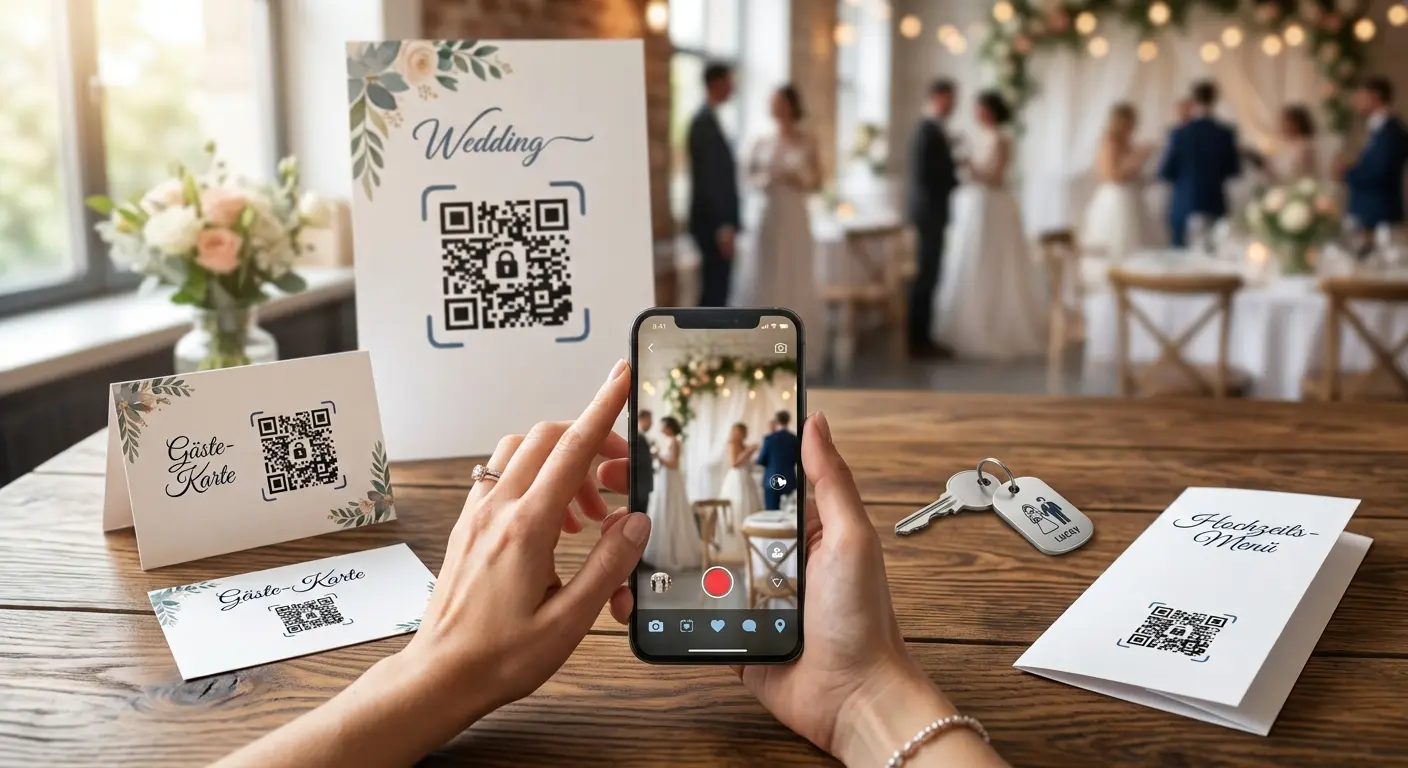
A wedding or a large event involves many small organizational tasks—collecting RSVPs, sharing the wish list, and compiling photos of the guests. QR codes offer an elegant solution to these tasks, as they combine printed invitations with digital capabilities without losing the personal, analog charm of the invitation.
Seven Ideas for Weddings and Events
1. Paperless RSVP
Instead of an enclosed reply card, a QR code on the invitation leads directly to an online form for RSVPs. This not only saves on postage costs but also ensures that responses are immediately recorded digitally rather than scattered in handwritten notes.
2. Share a wish list centrally
A QR code that links directly to a gift or wish list eliminates the need to laboriously type out the link or search for it in a WhatsApp group.
3. Shared Photo Gallery During the Celebration
A QR code visible in several locations throughout the celebration can lead to a shared digital album where all guests can upload their own photos—resulting in a collection of many different perspectives, not just the photographer’s official shots.
4. Seating Chart and Table Assignments
Placed at the entrance, a QR code can link to a digital overview of the seating chart—especially handy for larger guest lists, where a printed chart can quickly become confusing.
5. Collecting Music Requests
A code that links to a form or a shared playlist suggestion list lets guests actively participate in shaping the evening’s music.
6. Directions and Practical Information
For guests unfamiliar with the venue, a QR code can link directly to driving directions, information about parking, or lodging options—which is much more convenient than a separate information sheet.
7. Thank-You Cards with a Personal Recap
After the celebration, a QR code on the thank-you card can lead to a brief recap, such as a photo gallery of the best moments or a personal video message from the bride and groom to all guests.
One Page Instead of Seven Codes
Seven ideas don’t mean seven QR codes. It’s simpler to use a single code that leads to your own wedding page: the welcome, schedule, directions and accommodation are written right on it, along with buttons for RSVPs, the wish list and the shared photo album. Guests only need to remember one code—it’s the same on the invitation, the menu card and the place card.
With the QRown wedding page, you don’t need a website of your own. You start with a ready-made template, replace names, times and links, and design the page to match your invitation. RSVPs, photo uploads and the playlist run through the services you already use—the page brings them together.
Design Tips for a Cohesive Look
A QR code doesn’t have to look technical or impersonal. If its color matches the rest of the invitation design—such as the main color of the wedding decor—and it’s framed with a subtle border or a small icon, it blends unobtrusively into the overall design rather than standing out as a technical afterthought.
Why a dynamic code is particularly well-suited
Especially at weddings and events, details often change at the last minute—a new deadline for RSVPs, updated directions, or an expanded photo gallery after the celebration. A dynamic QR code allows you to update the link destination at any time without invalidating invitations that have already been sent or printed.
A Word About Privacy
Especially for private occasions like weddings, it’s worth ensuring that sensitive content—such as a private photo gallery or a guest list—isn’t made completely public. Password protection on the QR code—available with a free QRown account—ensures that only invited guests have access, even if an invitation card falls into the wrong hands. The same goes for the wedding page itself: the password is printed on the invitation, and search engines don’t index the page anyway.
Create Your Own Wedding Page Now
The QRown wedding page shows you how it works—with a ready-made template, password protection and a code that stays the same after printing. For individual links, such as one straight to the wish list, create a dynamic QR code in your own design with a free QRown account.
Put this article into practice with QRown:
Wedding