Creating a QR code takes less than five minutes — creating a QR code that scans reliably and delivers measurable results takes a few more decisions. This guide walks you through every step: choosing the right content type, deciding between static and dynamic, designing, testing and printing.
What is a QR code — in 30 seconds
A QR code (Quick Response code) is a two-dimensional code that stores data such as links, contact details or Wi-Fi credentials in machine-readable form. Every modern smartphone reads it straight from the camera — no extra app required. That makes it the fastest bridge between print and digital.
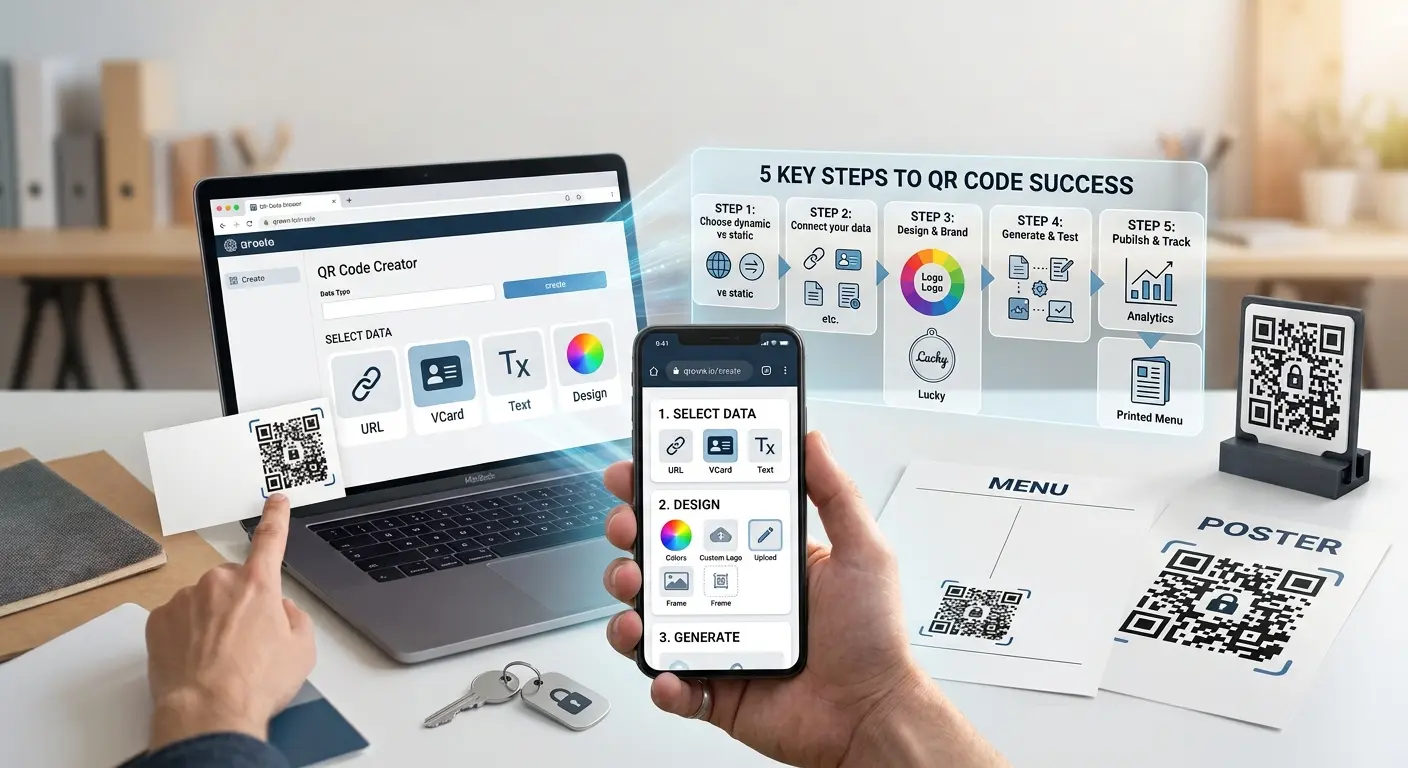
Step 1: Choose the right content type
The content type defines what happens after the scan. The most important types at a glance:
- URL: The classic — leads to a website or landing page.
- vCard: Saves contact details straight to the address book. Ideal for business cards.
- Wi-Fi: Guests connect without typing a password. Perfect for cafés, practices and holiday rentals.
- PDF / file: Menus, brochures or manuals directly on the phone.
- Email / SMS / WhatsApp: Opens a pre-filled message — lowers the barrier to getting in touch.
- Event: Adds an appointment to the calendar.
Rule of thumb: first decide which single action the scanner should take — then pick the type that enables that action with the fewest steps.
Step 2: Static or dynamic?
This is the most important decision — especially if the code will be printed:
- A static QR code contains the data directly. It works forever, but cannot be changed afterwards.
- A dynamic QR code contains a short redirect URL. You can change the destination at any time — the printed code stays valid. You also see when and how often it was scanned – and, depending on your plan, where and on which device.
Find the details in our post Dynamic vs. static QR codes.
Step 3: Customise the design — properly
A QR code in your brand colours with a logo gets scanned measurably more often than an anonymous black-and-white square. But clear rules apply:
- Contrast: Dark code on a light background. Never inverted, never tone on tone.
- Logo: Cover at most about 20 percent of the area. A logo uses up error correction reserve – the larger the logo, the higher the level should be. For dynamic codes, QRown sets the level itself and checks scannability after you design the code.
- Quiet zone: Keep a clear margin of at least four modules around the code.
Step 4: Test — on real devices
The most common mistake of all: the code goes to print without ever having been scanned. Always test:
- on iOS and Android (camera apps behave differently),
- in normal and low light,
- from a realistic distance — a poster is scanned from metres away, a flyer from 20 centimetres,
- and check the target page on a phone: does it load fast? Is it mobile-optimised?
Step 5: Download and print
For print, the file format matters:
- SVG (vector): Scales to any size without quality loss — the right choice for print shops, posters and packaging. SVG (and PDF) are available with a free account.
- PNG: For web, email signatures and presentations. PNG and JPG can be downloaded without an account.
Minimum print size: 2 x 2 cm for scan distances under 30 cm. For larger distances use the rule of thumb scan distance divided by 10 — a code meant to be scanned from 3 metres needs at least 30 cm edge length.
The 5 most common mistakes
- Printed too small — below 2 x 2 cm many cameras fail to scan reliably.
- Too little contrast — light grey on white looks elegant and does not work.
- Static code for campaigns — the URL changes, and thousands of flyers become waste paper.
- Target page not mobile — 100 percent of QR scans come from smartphones.
- No call to action — "Scan to see the menu" gets measurably more scans than a bare code.
Frequently asked questions
Is creating a QR code free?
Yes. With QRown you create static QR codes for free — no sign-up, no watermark, as PNG or JPG. For SVG and PDF, a logo and dynamic codes, you need a free account.
How long is a QR code valid?
A static QR code works indefinitely, because the data lives in the code itself. A dynamic code works as long as the redirect is active.
Which format does my print shop need?
SVG (with a free account). The vector format scales losslessly to any size — from a pen to a billboard.
Can I see how often my QR code was scanned?
Yes — with a dynamic QR code. It shows scans by time and, depending on your plan, by location and device – GDPR-compliant, with IP addresses stored only in truncated form.
Get started now
Create your first QR code for free — in under a minute, no sign-up. If you want to measure scans or change content later, register for free and use dynamic QR codes.